
🌿 Key Takeaways
- The USDA plant database is a free government tool listing over 80,000 plant species native to North America — use it to find the right plant for any region or condition
- The NRCS plants database (plants.usda.gov) is the official full name — it covers native plants, invasive species, wetland plants, and full growth data
- Searching USDA plants database by state helps you find region-specific native plants that thrive with zero extra care
- Native plants sourced from the USDA native plants database require up to 70% less water than non-native species once established
- Always cross-reference USDA plant data with real growing guides before planting — database entries are scientific, not beginner-friendly
- The database works best when combined with hands-on plant care knowledge — explore our Plant Care Guides to bridge that gap
What Exactly Is the USDA Plant Database?
If you have ever searched for a plant by its scientific name, wondered whether a species is native to your state, or tried to identify a mystery plant growing in your garden — you have probably stumbled across plants.usda.gov, the official USDA plants database managed by the Natural Resources Conservation Service (NRCS).
The USDA plant database — officially known as the NRCS plants database — is a free, publicly accessible online resource that catalogs over 80,000 plant species, subspecies, varieties, and hybrids found across the United States, Canada, and US territories. It is maintained by the US Department of Agriculture and is considered the most comprehensive native plant reference tool available to gardeners, landscapers, conservationists, and researchers.
But here is what most gardeners do not realize — the USDA plants database is a scientific reference tool, not a gardening guide. It tells you what a plant is and where it grows naturally. It does not tell you how to care for it, how to keep it alive indoors, or how to make it thrive in a container on your patio.
That is exactly where this guide comes in. We will walk you through how to use the USDA plant database effectively, what the data actually means, and how to connect that scientific information to practical plant care decisions in your home and garden.
What Is the NRCS Plants Database and Who Runs It?
The full official name is the USDA NRCS Plants Database — NRCS standing for Natural Resources Conservation Service, which is an agency within the US Department of Agriculture (USDA).
The database is hosted at plants.usda.gov (sometimes searched as usdaplants or plants.usda) and has been publicly available since the late 1990s. It is updated continuously by NRCS botanists and scientists across the country.
The database covers:
- Native and naturalized plant species across North America
- Invasive and noxious weed classifications by state
- Wetland plant indicator status
- Plant growth habits, size, and lifespan data
- State-by-state distribution maps
- Scientific synonyms and common name cross-referencing
- Related plants, subspecies, and varieties
- Threatened and endangered species status
For everyday gardeners, the most useful sections are the state distribution maps, the characteristics data, and the native status classification — which tells you whether a plant is truly native to your region or has been introduced from elsewhere.
How to Use the USDA Plants Database — Step by Step
Step 1 — Access the Database
Go directly to plants.usda.gov — this is the official NRCS plants database URL. You do not need to create an account. The entire database is free and publicly accessible.
Step 2 — Search by Common or Scientific Name
Use the search bar at the top of the page. You can search by:
- Common name (e.g. “peace lily”, “pothos”, “snake plant”)
- Scientific name (e.g. Spathiphyllum wallisii, Epipremnum aureum)
- Plant symbol (a short code the NRCS assigns to each species)
- State or territory
Step 3 — Read the Plant Profile
Each plant entry in the USDA plants database includes a full profile with:
| Data Field | What It Tells You |
|---|---|
| Native Status | Whether the plant is native, introduced, or invasive in each state |
| Growth Habit | Tree, shrub, vine, forb/herb, graminoid |
| Duration | Annual, biennial, or perennial |
| Active Growth Period | Which seasons the plant grows actively |
| Drought Tolerance | Low, medium, or high |
| Shade Tolerance | Tolerant, intermediate, or intolerant |
| Moisture Use | Low, medium, or high |
| pH Range | Minimum and maximum soil pH |
| Salinity Tolerance | Low, medium, or high |
Step 4 — Check the State Distribution Map
Every plant profile includes a color-coded US map showing which states the plant is native to, which states it has been introduced in, and which states it is considered invasive. This is one of the most useful features of the USDA native plants database for gardeners choosing region-appropriate species.
Step 5 — Cross-Reference With Growing Guides
This is the step most people skip — and it is the most important one. The USDA plants database gives you scientific data, not gardening instructions. Once you have identified a plant and confirmed it is suitable for your region, always read a dedicated care guide before planting or purchasing.
USDA Plant Database vs NRCS Plants Database — Are They the Same?
Yes — completely. The terms USDA plant database, USDA plants database, NRCS plants database, and plants.usda all refer to the exact same resource at plants.usda.gov.
The confusion comes from how the agency is structured. The USDA (United States Department of Agriculture) is the parent government department. The NRCS (Natural Resources Conservation Service) is the specific agency within the USDA that manages the plant database. So technically the most accurate name is the USDA NRCS plants database — but all variations refer to the same tool.
| Search Term | Refers To |
|---|---|
| USDA plant database | ✅ plants.usda.gov |
| USDA plants database | ✅ plants.usda.gov |
| NRCS plants database | ✅ plants.usda.gov |
| plants.usda | ✅ plants.usda.gov |
| usdaplants | ✅ plants.usda.gov |
| USDA native plants database | ✅ plants.usda.gov (native filter) |
How to Use USDA Plants Database to Find Native Plants for Your Garden
The single most powerful use of the USDA native plants database for home gardeners is finding truly native plants for your specific region. Native plants are species that evolved naturally in a particular area over thousands of years — they are adapted to local soil, rainfall, temperature ranges, and wildlife.
Planting native species sourced from the USDA plants database data offers enormous practical benefits. They require significantly less water once established, need little to no fertilizer, support local pollinators and wildlife, and are naturally resistant to regional pests and diseases. Our guide on native plants that thrive in your region and why they matter explores this in detail with practical planting advice.
How to Filter Native Plants by State
- Go to plants.usda.gov
- Click Advanced Search
- Under Native Status — select “Native” from the dropdown
- Under State — select your state
- Click Search
The results will show every plant species native to your selected state — filterable by growth habit, duration, and other characteristics.
This is particularly useful when planning a wildlife-friendly garden — native plants attract local birds, bees, and butterflies far more effectively than introduced ornamental species.
What the USDA Plants Database Does NOT Tell You
Understanding the limitations of the USDA plants database is just as important as knowing how to use it. Here is what the database does not cover:
It does not give care instructions. The database tells you a plant’s drought tolerance is “low” — it does not tell you how often to water it, what pot size to use, or how to fix yellowing leaves.
It does not cover most popular houseplants. Many beloved indoor plants — like pothos, monstera, and fiddle leaf figs — are tropical species introduced from other continents. The USDA plants database focuses on North American native and naturalized species. You will not find a detailed profile for your trailing pothos or peace lily here.
It does not tell you where to buy plants. The database is a scientific reference, not a marketplace. It identifies species — sourcing them is a separate step.
It does not cover indoor growing conditions. Data on shade tolerance, moisture use, and soil pH refers to outdoor conditions in the plant’s natural habitat — not apartment lighting or potted soil mixes.
For practical indoor plant care — from building a humidity tray to choosing self-watering pots — dedicated growing guides will always serve you better than database entries.
Best Uses of the USDA Plant Database for Home Gardeners
1. Identifying Unknown Plants in Your Garden
If you find an unfamiliar plant growing in your yard, the USDA plants database is one of the best free identification starting points. Search by physical description keywords or browse by state and growth habit. Once you have a potential match, confirm it with image searches and regional field guides.
2. Planning a Native Plant Garden
The USDA native plants database is the definitive resource for designing a native garden. Filter by state, growth habit (ground cover, shrub, tree), and duration (annual vs perennial) to build a planting list perfectly suited to your region. Combine this with our guide on color themes for your outdoor garden to plan both ecological and visual impact.
3. Checking Invasive Status Before Planting
Before introducing any new plant to your garden, check the USDA plants database to confirm it is not classified as invasive or noxious in your state. Invasive plants can spread aggressively, crowd out native species, and cause significant ecological damage. This check takes less than two minutes and could save years of problematic garden management.
4. Verifying Scientific Names for Purchasing
Nurseries and online plant sellers sometimes use common names inconsistently — the same common name can refer to different species in different regions. The USDA plants database gives you the correct scientific name so you can be certain you are purchasing exactly the species you want.
5. Finding Drought-Tolerant or Low-Maintenance Species
The characteristics data in each plant profile — particularly drought tolerance, moisture use, and shade tolerance — helps you identify plants that will thrive in challenging conditions with minimal care. This is especially useful for container gardening on patios where soil dries out faster and conditions are less forgiving than open garden beds.
USDA Hardiness Zones vs USDA Plants Database — Key Difference
Many gardeners confuse two separate USDA resources:
USDA Plant Hardiness Zone Map — This is the map that divides North America into numbered zones (1–13) based on average minimum winter temperatures. When a plant label says “Hardy to Zone 6” it is referencing this map.
USDA Plants Database (plants.usda.gov) — This is the species database we have been discussing. It lists plant species, their native ranges, characteristics, and invasive status.
They are related but entirely separate tools. The hardiness zone map tells you what temperatures a plant can survive. The plants database tells you what species exist and where they naturally grow. Using both together gives you the most complete picture when selecting plants for your outdoor garden.
Native Plants Worth Growing — Sourced from USDA Plants Database Data
Here are five standout native North American plants identified through the USDA native plants database that make excellent garden additions across most US regions:
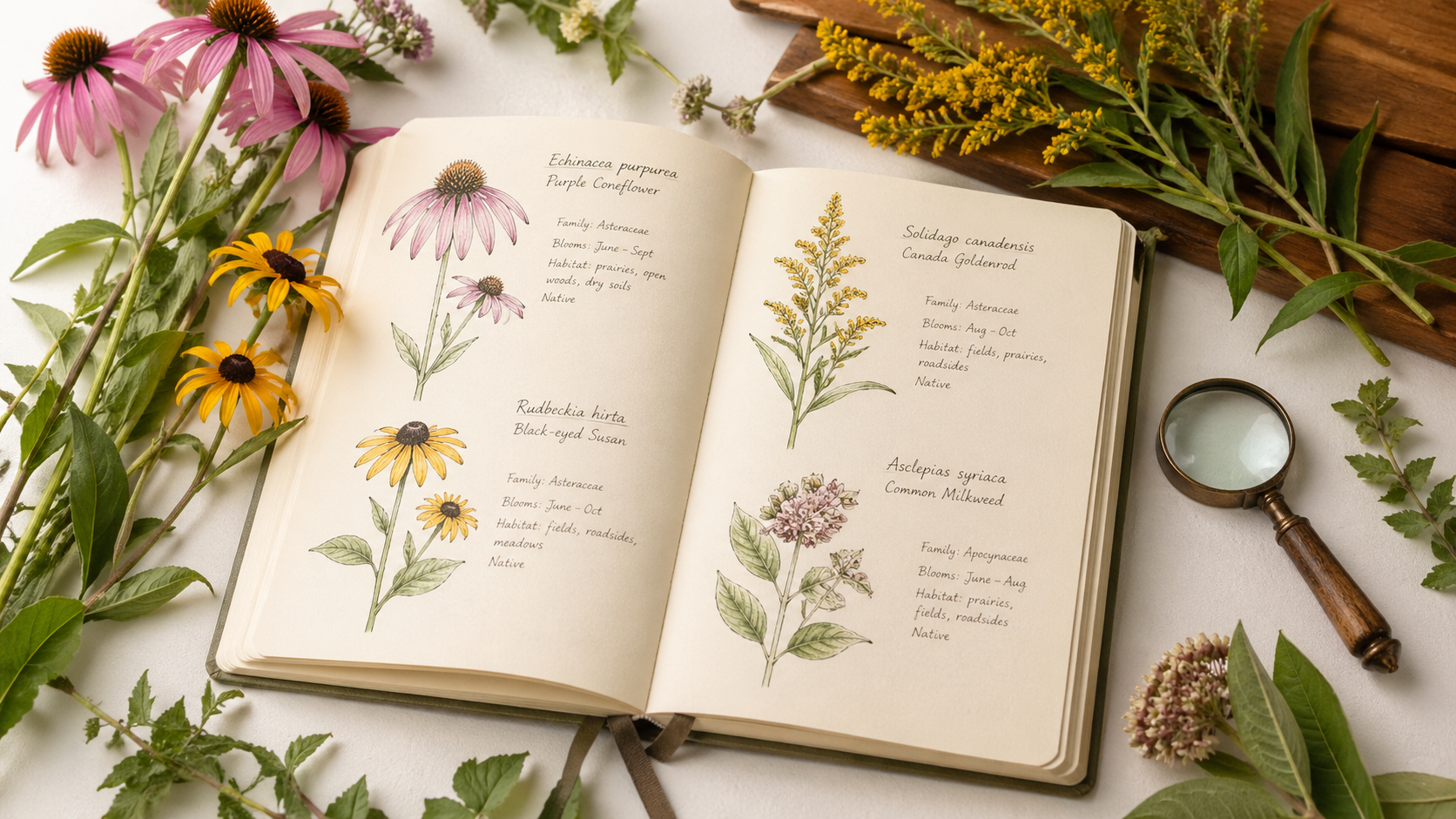
1. Purple Coneflower (Echinacea purpurea)
Native to eastern and central North America. Drought tolerant, full sun, extremely attractive to pollinators. Perennial that returns reliably year after year with minimal care.
2. Black-Eyed Susan (Rudbeckia hirta)
Native across most of North America. Medium drought tolerance, adaptable to most soil types, bright yellow flowers from summer through fall. Excellent for wildlife-friendly gardens.
3. Wild Columbine (Aquilegia canadensis)
Native to eastern North America. Shade tolerant, low moisture requirements, attracts hummingbirds. Perfect for shaded garden corners or natural room divider plantings in sheltered outdoor areas.
4. Switchgrass (Panicum virgatum)
Native across North America. Extremely drought tolerant, low maintenance, provides year-round structure and movement in garden designs. Ideal for color-themed outdoor garden schemes.
5. Virginia Bluebells (Mertensia virginica)
Native to eastern North America. Spring blooming, shade tolerant, naturalizes beautifully under trees. A true native treasure that the USDA native plants database classifies as a perennial forb with medium moisture requirements.
How to Combine USDA Plant Data With Real Growing Knowledge
The most effective approach for any gardener — beginner or experienced — is to use the USDA plants database as your research starting point, then layer real growing knowledge on top of the scientific data.
Research phase: Use plants.usda.gov to confirm native status, check invasive classification, verify scientific names, and understand basic characteristics like drought tolerance and shade requirements.
Growing phase: Use dedicated plant care guides to understand watering schedules, soil mixes, container requirements, seasonal care, and troubleshooting. Whether you are growing a thriving indoor plant collection or expanding into outdoor container gardening, hands-on care knowledge is what the database cannot provide.
Design phase: Once you know what grows in your region and how to care for it, layer in design thinking — from creating an indoor jungle without overcrowding to building a wildlife-friendly outdoor garden filled with USDA-verified native species.
Some gardeners even apply principles like Feng Shui plant placement using native species — grounding the spiritual practice in regionally appropriate, ecologically sound plant choices identified through the USDA native plants database.
Frequently Asked Questions
Q: What is the USDA plant database and is it free to use? The USDA plant database — officially the USDA NRCS plants database at plants.usda.gov — is a free, publicly accessible online resource maintained by the US Department of Agriculture. It catalogs over 80,000 plant species native and naturalized across North America, covering characteristics, distribution maps, invasive status, and scientific naming. No account or subscription is required.
Q: What is the difference between the USDA plant database and the NRCS plants database? They are the same resource. The NRCS (Natural Resources Conservation Service) is the USDA agency that manages the database. Whether you search for “USDA plant database”, “NRCS plants database”, or “plants.usda” — all roads lead to plants.usda.gov. The full official name is the USDA NRCS Plants Database.
Q: Can I use the USDA plants database to find native plants for my state? Yes — this is one of the most practical uses of the USDA native plants database. Use the Advanced Search feature, select your state, filter by Native Status, and browse species native to your exact region. This is the most reliable way to build a garden with plants adapted to your local soil, rainfall, and climate conditions.
Q: Does the USDA plant database cover indoor houseplants? Not comprehensively. The database focuses on North American native and naturalized species. Many popular indoor houseplants — pothos, monstera, peace lily, fiddle leaf fig — are tropical species from other continents and are not fully profiled in the USDA database. For indoor plant care, dedicated growing guides on Patch Plants will serve you far better.
Q: How do I find rare native plants using the USDA plants database? Use the Advanced Search with your state selected and filter by “Threatened” or “Endangered” status under the Legal Status field. This shows you rare native species in your region. However, note that many of these plants are legally protected — growing them requires sourcing from licensed native plant nurseries, not collecting from the wild. Our guide on rare houseplants worth hunting for covers the sourcing process in detail.
Q: What does “native status” mean in the USDA plants database? Native status tells you whether a plant species evolved naturally in a given state or territory (Native), was introduced from elsewhere (Introduced), or both (Native and Introduced depending on the part of the state). For gardeners, choosing plants with a Native status in your state means choosing species that are naturally adapted to your local conditions — requiring less water, fertilizer, and maintenance than introduced species.
Related Guides on Patch Plants
- 🌿 Native Plants That Thrive in Your Region — Why They Matter
- 🦋 How to Design a Wildlife-Friendly Garden (Even in Small Yards)
- 🌸 Color Themes for Your Outdoor Garden: Cool Blues to Sunset Shades
- 🪴 Best Plants for Container Gardening on Patios
- 🌱 Rare Houseplants That Are Worth the Hunt
- 🌿 Browse All Outdoor Plant Guides
Final Thoughts
The USDA plant database is one of the most powerful and underused free tools available to home gardeners. Whether you are verifying that a plant is truly native to your state, checking invasive status before adding something new to your garden, or building a region-specific planting list using the USDA native plants database — plants.usda.gov gives you a scientific foundation that no commercial plant website can match.
But data alone does not grow gardens. The USDA plants database tells you what belongs in your region — your hands, your care routine, and the guides you follow determine whether those plants actually thrive. Use the science as your starting point, then bring the living knowledge of real plant care to everything you grow.
According to the USDA Natural Resources Conservation Service, native plants support local ecosystems significantly more effectively than introduced species — making the database not just a research tool but a genuine guide toward more sustainable, lower-maintenance gardening for every home.
Start with the database. Grow with knowledge. Your garden — and your local ecosystem — will thank you. 🌿


